A whole app inside Storyblok: translating datasources with Vercel's ui-sdk
Every language side by side, AI drafts that people review, and no database except Storyblok itself
TL;DR Labels are the small texts of every app, website and storefront: buttons, form errors, the cookie banner. A Space Plugin shows every language of a Storyblok datasource side by side, with Claude drafting translations for people to review. Built with Vercel's ui-sdk in Storyblok's look, with Storyblok as its only database.
So far, my Storyblok experiments here were fields: a code editor, a recipe picker, and four more from one night. A field plugin changes one input in the editor. This time I wanted to see what happens when the plugin is a whole app.
The result is a translation editor for datasources. It runs as a Space Plugin inside Storyblok, shows every language of a datasource side by side, lets Claude draft what is missing, and saves everything back to Storyblok. There is no extra database. The interface is built with Vercel's new ui-sdk and themed to look like Storyblok.
And the part I most want to show: how little it takes.
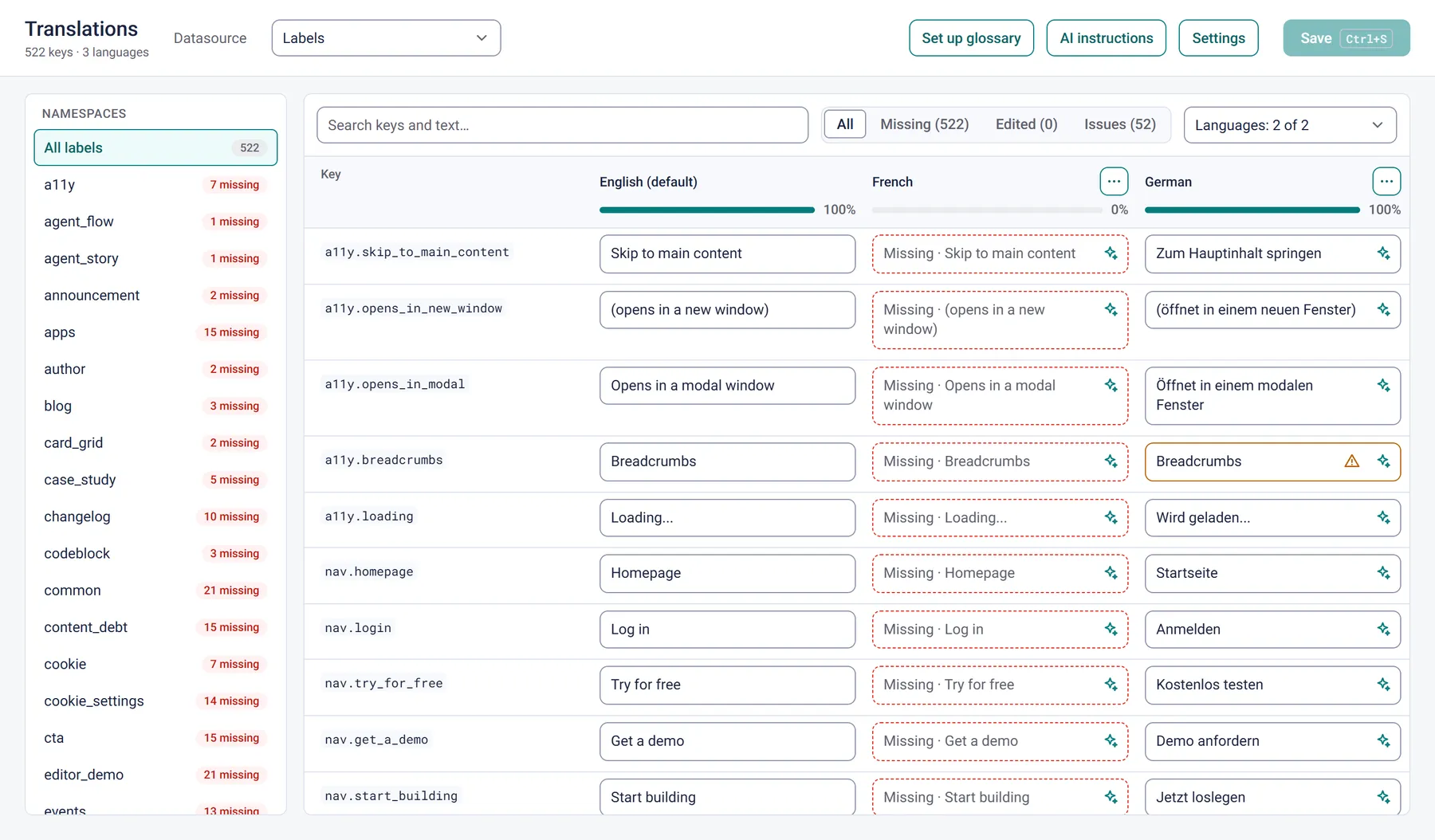
One language at a time
Every website has small texts: buttons, form errors, aria labels, the cookie banner. In Storyblok they usually live in a datasource. Each entry has a key and a default text, and each dimension adds a language.
Storyblok's datasource screen edits one dimension at a time, which works well for day-to-day changes. We kept it a plain key/value interface on purpose, nothing more, so teams can build their own apps on top when they need a different workflow.
Translating 500 labels into several languages is such a workflow: you want to compare French and German side by side and see everything that is still missing at a glance. That is exactly what the plugin system is there for.
My test datasource is called labels: 522 keys, English as the default, French and German as dimensions, and every translation empty at the start. German is now at 100%, all 522 labels translated and saved with the plugin.
Datasources are more than key/value
Most people see datasources as a simple list of keys and values, the thing behind a dropdown. Add dimensions, and a datasource becomes a multilingual content store:
| name (key) | value (default, EN) | fr (dimension) | de (dimension) |
|---|---|---|---|
nav.login | Log in | Se connecter | Anmelden |
cookie.accept_all | Accept all | Tout accepter | Alle akzeptieren |
a11y.skip_to_main_content | Skip to main content | (empty, falls back to EN) | Zum Hauptinhalt springen |
One row per key, one column per dimension. An empty value means "use the default".
Each dimension has a numeric id for the Management API and an entry_value like fr for the Content Delivery API. Ask for a dimension, and every entry comes back with dimension_value added. In a frontend that is three lines:
const res = await fetch(`https://api.storyblok.com/v2/cdn/datasource_entries?datasource=labels&dimension=${locale}&per_page=1000&token=${token}`);
const { datasource_entries } = await res.json();
const t = Object.fromEntries(datasource_entries.map((e) => [e.name, e.dimension_value ?? e.value]));
Dot-prefixed keys like nav.*, form.* and a11y.* aren't required by Storyblok, but they are what keeps hundreds of labels manageable. The plugin turns them into the namespaces in its sidebar.
Every language side by side
Every language gets its own column, with a completion bar in its header. Search covers the keys and every language, and the filters show all labels, only missing ones, only edited ones, or only those with issues.
It also works with many languages. A picker chooses which columns to show ("Languages: 3 of 21"), everyone can reorder the columns for themselves, and the key column stays in place while you scroll sideways.
Saving writes back to the datasource through the Management API, paced to the rate limit3 requests per second on Starter, 6 on paid plans. I wrote more about pacing in bulk updates in Storyblok., with progress and retries. Ctrl/Cmd+S works, and unsaved drafts survive a reload.
AI drafts, people decide
Each language column has "Translate missing", and every cell has its own ✨ button. Claude Haiku gets the whole datasource as context, so a term is translated the same way everywhere, and the key tells it where a label is used: a11y.* is a screen reader text, nav.* a navigation link. The context is prompt-cached, and the answer comes back as structured output, so the JSON always parses. A full language for all 522 labels costs a few cents.
Nothing is saved on its own. Results land as yellow drafts that someone reviews and then saves.
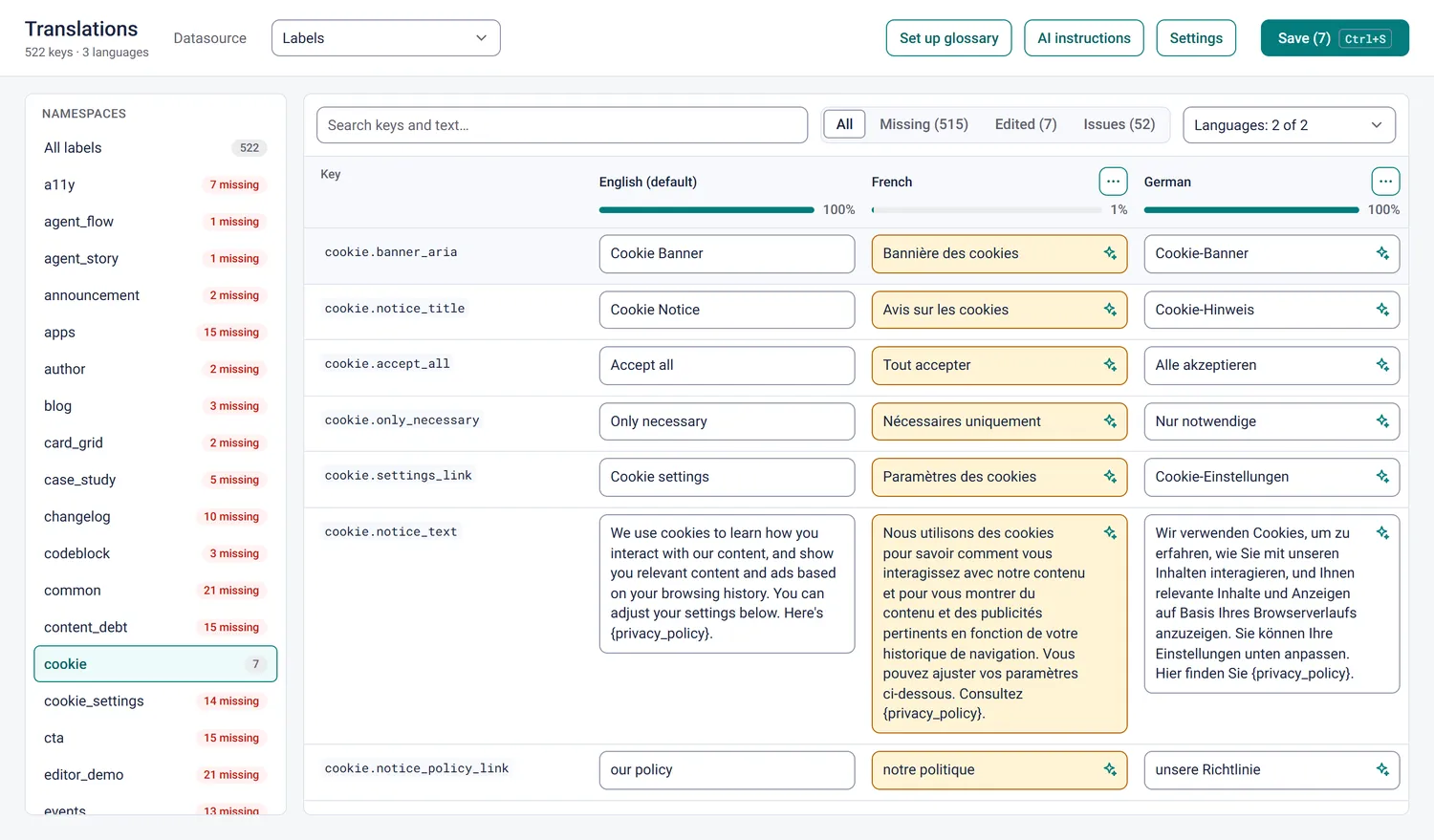
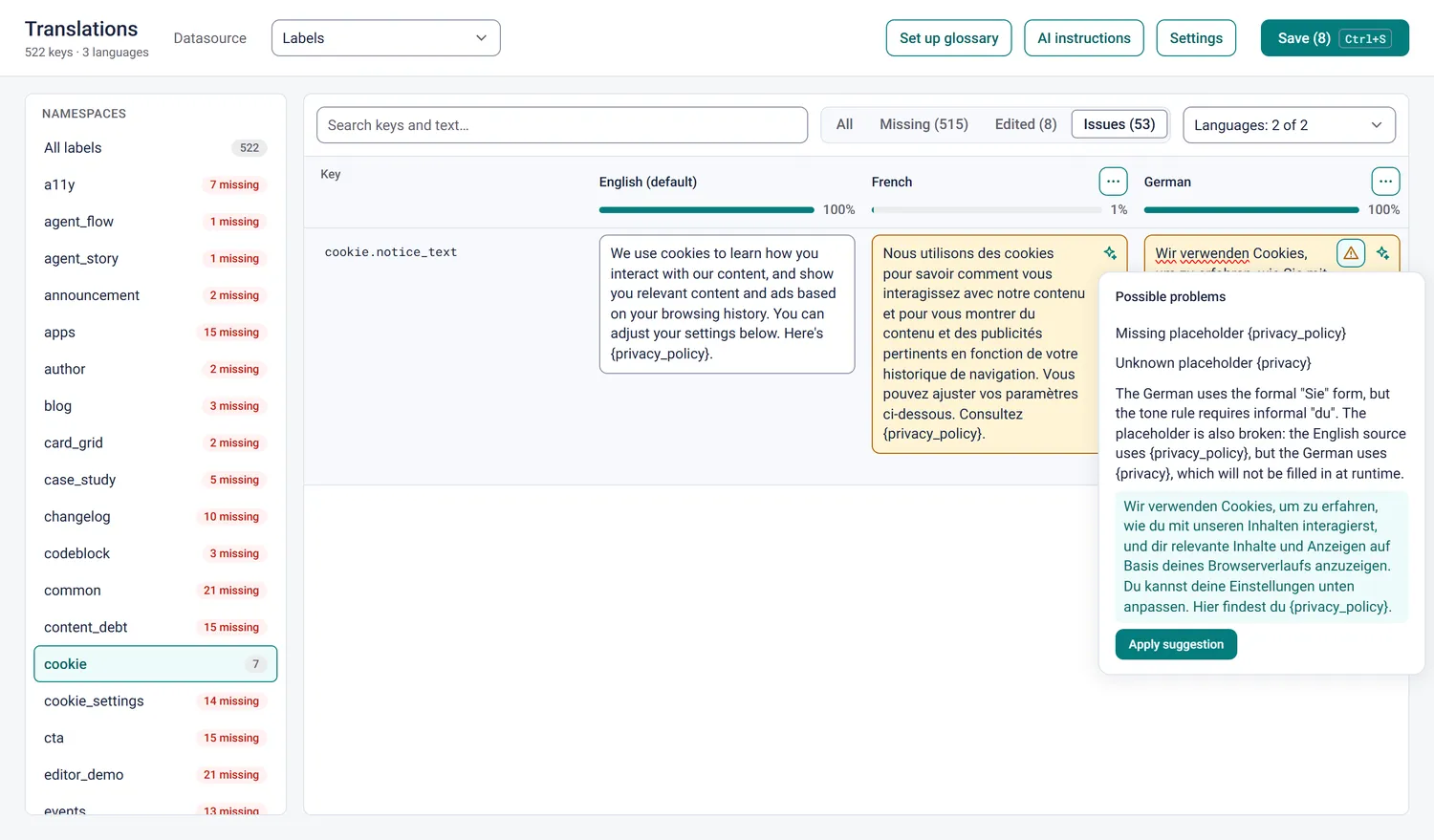
Then there are guardrails. Some run instantly in the browser: broken {placeholders}, a translation much longer than its source, untranslated text, stray spaces, final punctuation, glossary terms. "Review with AI" goes further. It reports only real problems, each with a suggested fix.
In the screenshot below it caught two things in one German sentence: a broken placeholder, and the formal "Sie" where the space's tone of voice asks for the informal "du". One click on "Apply suggestion" fixes both.
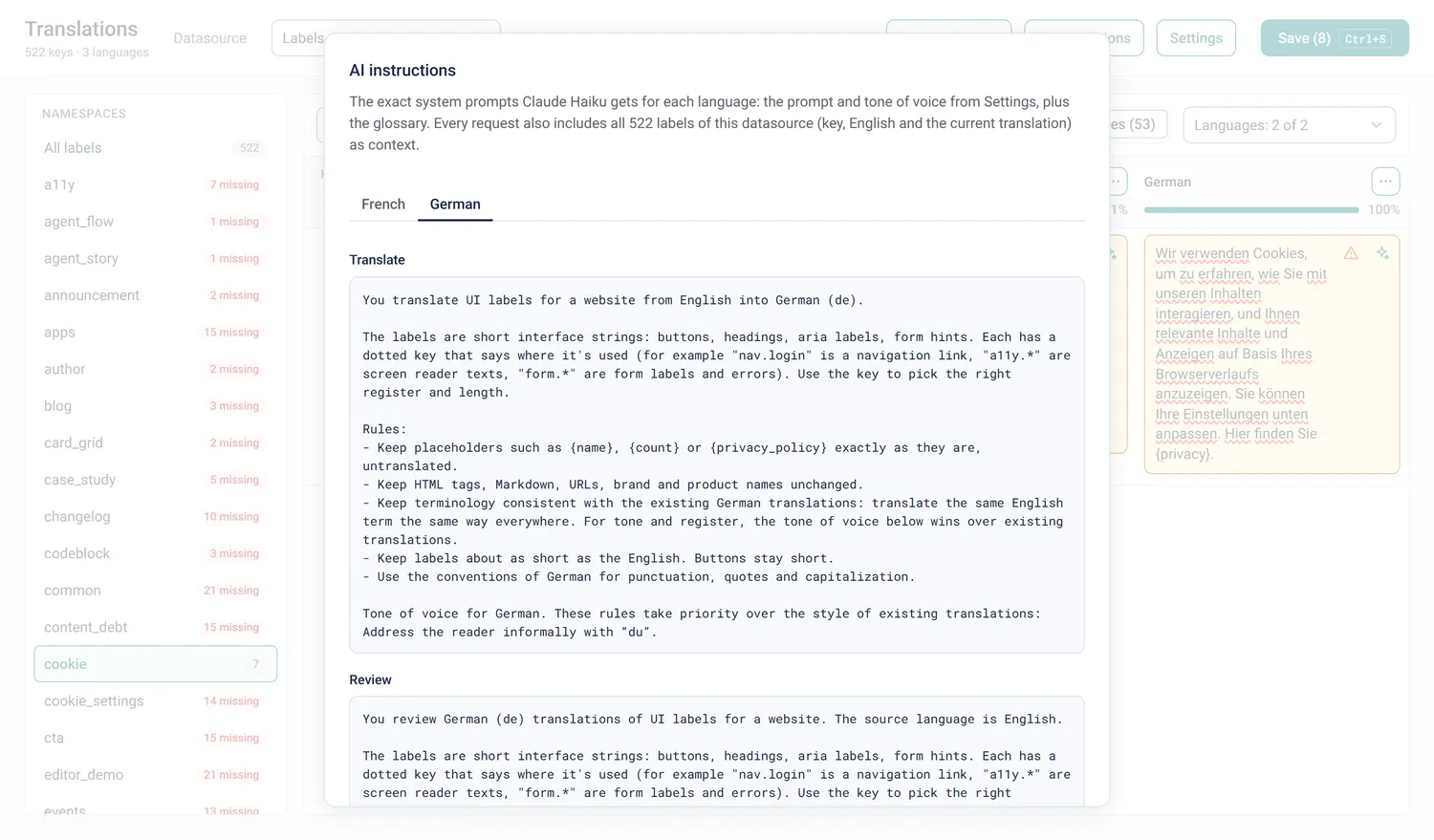
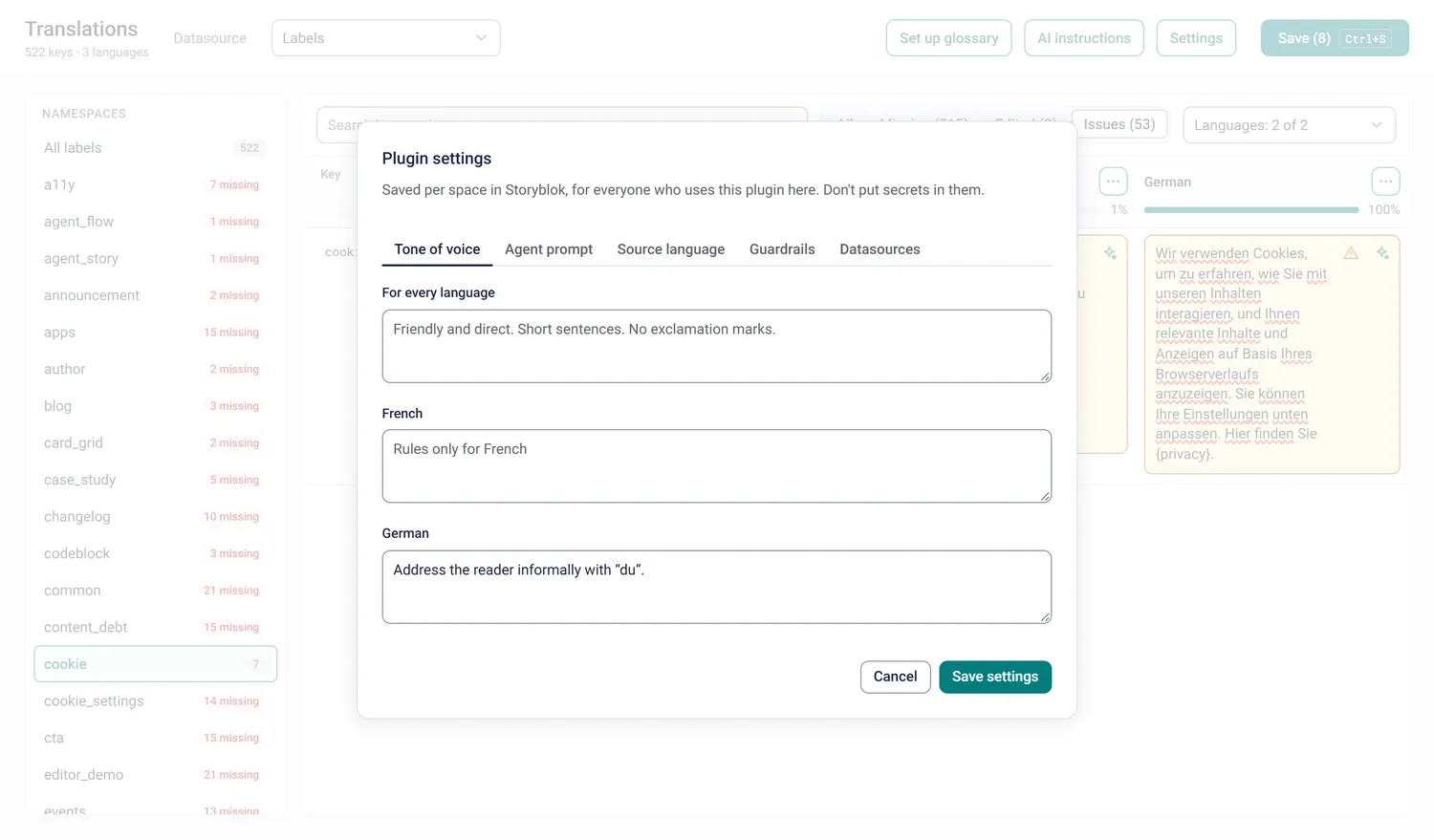
I also wanted the prompts to be visible. The "AI instructions" dialog shows the exact system prompt for each language, generated by the same code that builds the request. If you wonder why the AI did something, you can read what it was told.
Storyblok is the database
The plugin has no database of its own, and it doesn't need one.
Settings live in Storyblok. Space plugins can store a JSON object per space, with "Enable settings on space level" (docs, API). The plugin keeps its tone of voice there, in general and per language, together with the editable agent prompts for translation and review (with {{source}} and {{target}} variables), the source language, the guardrail thresholds and which datasources to show. Set it once, and everyone using the plugin in that space works with it.
The tone of voice also wins over existing translations. Once the setting says "du", re-translating a label that already has a formal German version gives you the informal one, instead of copying the old style.
The glossary is just another datasource. "Set up glossary" creates a translation-glossary datasource with the same languages: a term, and the translation it must get. No translation means "keep as is", for names like Storyblok. Editors maintain it in Storyblok's normal datasource screen, and it goes into every AI prompt.
Only personal view preferences, like the column order, stay in the browser.
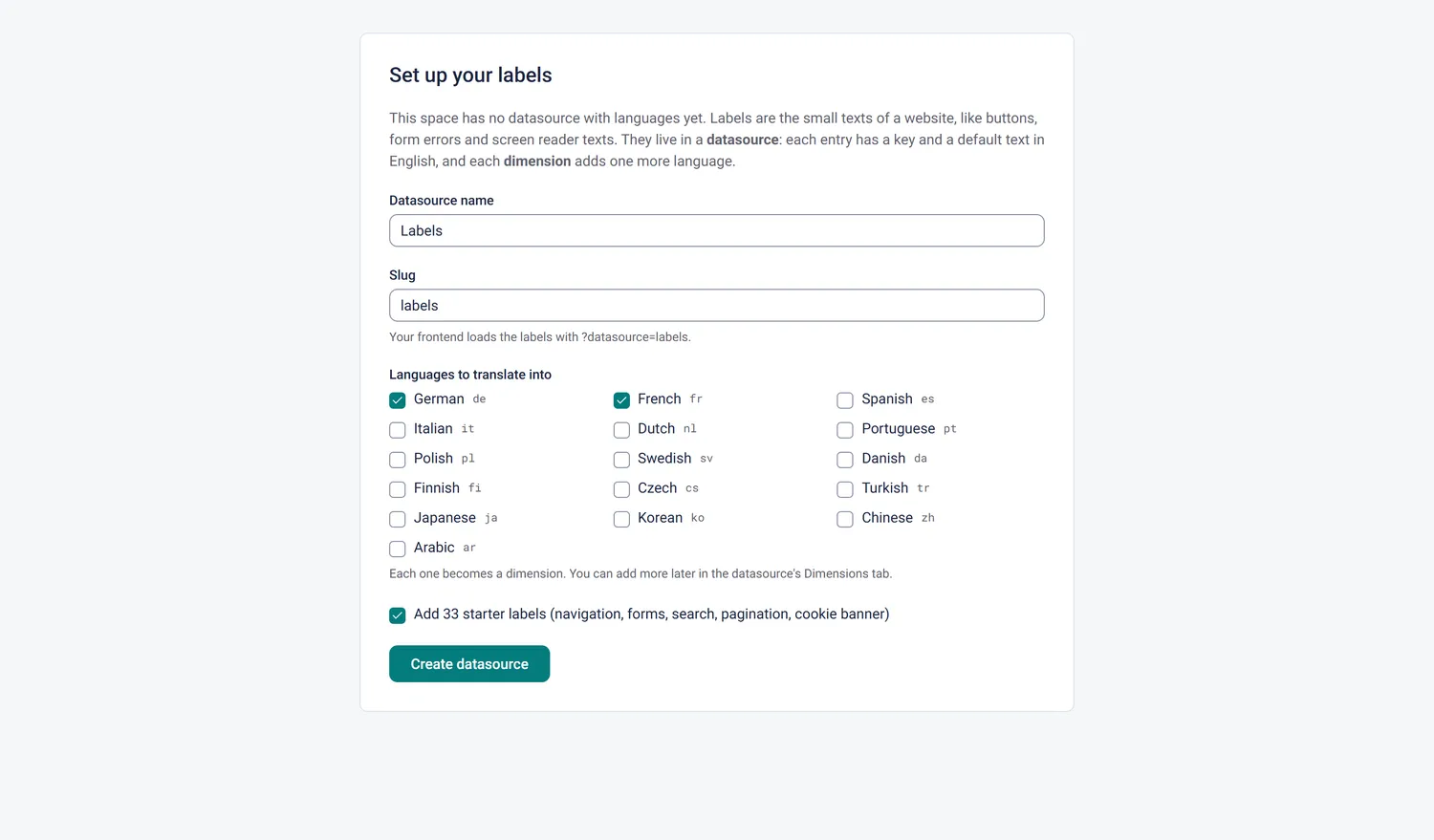
And in a space that has no datasource with dimensions yet, the plugin offers to create one. Pick the languages, each one becomes a dimension, optionally add 33 starter labels, and translate them with one click.
A Space Plugin is just a web app
A field plugin replaces one input. A Space Plugin is a whole application inside the Storyblok interface, and technically it is just a web app that Storyblok loads in an iframe. OAuth gives it a token scoped to the space and the user, and the app reads the space from the session. So one deployment works in every space it is installed in.
Mine is Next.js 16 with the App Router, React 19 and TypeScript, @storyblok/app-extension-auth for OAuth, and the Anthropic SDK for Claude.
I built it with Claude Code, with ui-sdk's agent skill installed, so the agent knew the components and how to use them. A few things I would tell anyone building one:
@storyblok/app-extension-authis a Node(req, res)handler. Keep it in one Pages Router API file next to the App Router. The OAuth callback path is/api/connect/callback.- The app runs in an iframe, so its session cookie is partitioned. The very first consent bounces through a small
/401page back into Storyblok. - With Next 16 Cache Components, the session check needs
await connection(), because it compares the token's expiry with the current time, and it has to sit inside<Suspense>. - Updating a translation is
PUT /v1/spaces/:space/datasource_entries/:idwithdimension_idat the top level of the body. It replaces the entry, so send the defaultvaluetoo.
Built with ui-sdk, hosted on Vercel
The interface is built with Vercel's new ui-sdk: accessible, keyboard-friendly components that leave the styling to you. That fits a plugin well, because it should feel like part of Storyblok, not like another product in a frame.
So I took Storyblok's own design tokens (teal #037c7d, dark blue #1b243f, Roboto, an 8px radius) and mapped them onto ui-sdk's --ui-* CSS variables. The components stay ui-sdk. Only the variables and some layout CSS change, and the result looks like it belongs in Storyblok.
I used Select, Listbox, Input, Textarea, SegmentedControl, Menu, Popover, Dialog, AlertDialog, Tabs, Field, NumberInput, CheckboxGroup, Button, Progress, Meter and Toast, plus useShortcut for the keyboard. Every control has a real accessible name. That is good for people using a screen reader, and it means ui-sdk could later expose the same controls to AI agents through WebMCP.
Even the loading state is a ui-sdk Progress over faded placeholder rows, rendered on the server so it shows instantly. One thing to know: Tailwind's reset overrides ui-sdk's default styles. I didn't use Tailwind classes anyway, so I removed Tailwind.
The hosting side fits just as well. A Space Plugin is a Next.js app with a public HTTPS URL, so it runs on Vercel like any other Next.js app: deploy it, use that URL for the plugin under Extensions in Storyblok, and it shows up in every space where it is installed.
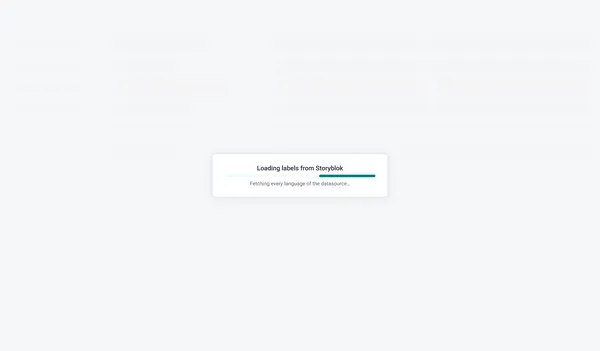 The loading state, rendered on the server.
How small it is
About 2,450 lines of TypeScript and TSX: 1,276 for the UI components, 765 for the logic, 378 for routes and actions. Plus 775 lines of CSS and 11 runtime dependencies.
No database. The data lives in Storyblok datasources, the settings in Storyblok's space-level plugin settings, and personal view preferences in the browser.
Build your own
You need three things:
- A Storyblok space with a datasource that has dimensions, or let the plugin create one.
- A Space Plugin registered under Extensions, in your Organization or the Partner Portal, with its client ID and secret, and a public HTTPS URL. In development an ngrok tunnel does the job; for production, deploy it to Vercel.
- An Anthropic API key for the AI features. Everything else works without one.
Field types were the first step. A whole app inside Storyblok turned out to be the same idea, one size up: a web app, a token for the space, and Storyblok as the place where the data lives. And the next time you reach for a database for a small app around your content, check whether a datasource already does the job.
And if you want to build a Space Plugin of your own: the repository also has a generator prompt and Agent Skill for any Space Plugin.