From midnight idea to four live field types: generating Storyblok plugins from a single sentence
One night, one written guide, three AI agents working in parallel, and what they taught me about my own instructions
What if a Storyblok user could describe the field they need in plain language, and get it built and deployed into their space?
TL;DR
- In one night I set up a small pipeline that turns a one-sentence description into a working, deployed Storyblok custom field type. Four fields went live: one prompted in my main Claude session as a reference, three generated by fresh AI agents in parallel.
- All three generated fields built and passed their own tests on the first try, in roughly 2–3 minutes of agent time each. I then checked all four in the Storyblok editor, and they worked.
- The most useful part wasn't the code. The three agents, working independently, pointed out gaps in my written instructions, some of them the same ones. Fixing those made the instructions better for every agent after them. This is an experiment, not a product announcement.
The spark: JoyConf, and an open CMS
Last week at JoyConf I kept ending up in the same conversation: how easy it has become to integrate with tools.
That's the bet behind our strategy at Storyblok: an open ecosystem, and real investment in plugins, field types and custom integrations. If you can extend the CMS that easily, you don't need a custom-hosted interface next to it.
Right now a lot of people want to vibe-code a custom interface for their editors. Extending the CMS is exactly what you want there: custom where you need it, for your marketers, without worrying about the CMS parts and without the maintenance.
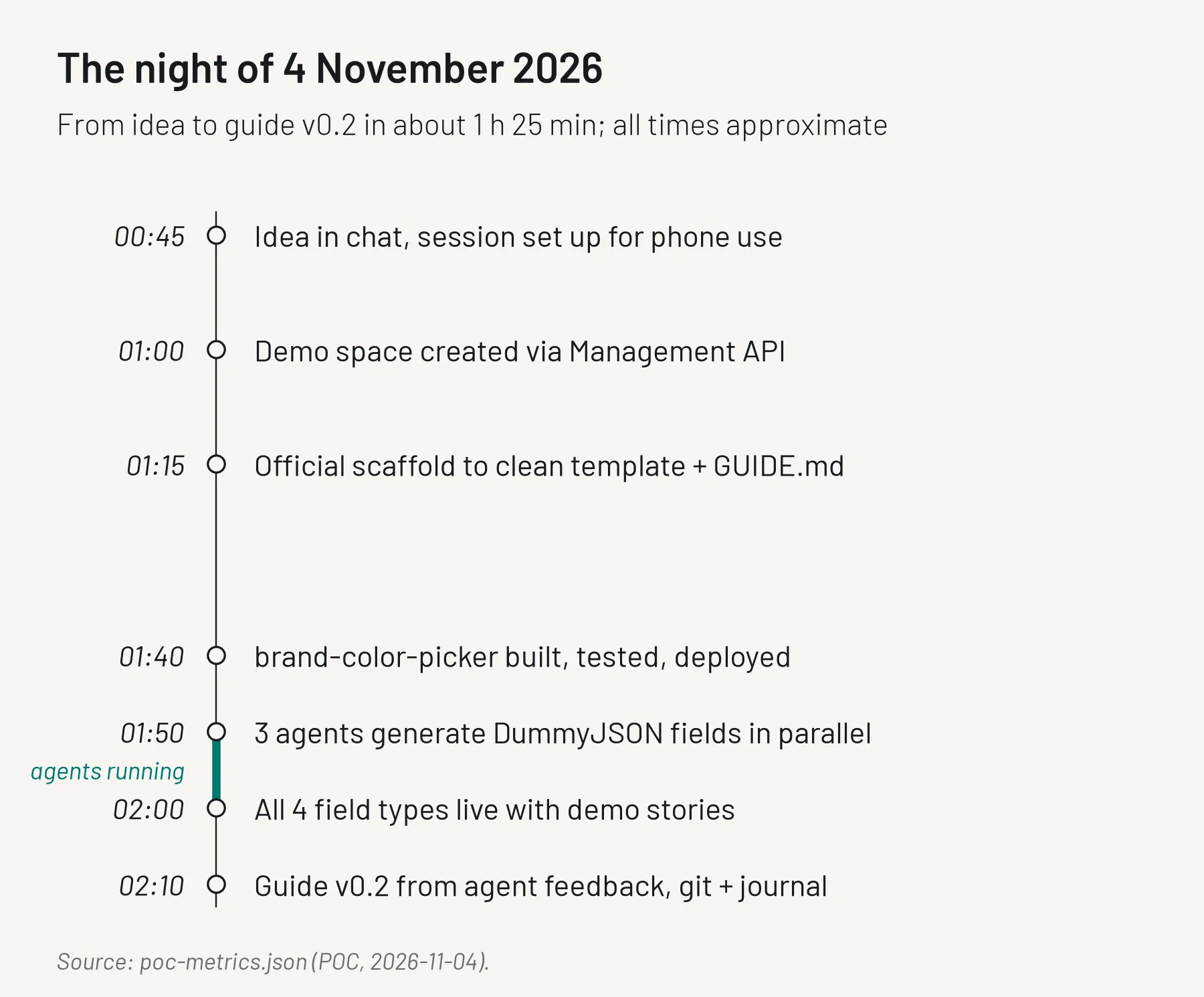
The idea, shortly before 1 a.m.
Around a quarter to one in the morning that turned into an idea I couldn't let go of: what if a Storyblok user could describe the field they need in plain language, and get it built and deployed into their space?
Not a mockup. A real custom field that editors can use in their stories.
I set up a session I could drive from my phone and started. By about 2 a.m. four field types were live in a demo space, each with a demo component and story.
What a field type is, and why I started there
In Storyblok, content is built from components, and components are made of fields: text, rich text, assets and so on. When the built-in fields aren't enough, you can write a field plugin, a small web app that runs inside the editor in an iframeAn embedded page. and stores whatever value you design. Think of a color picker restricted to your brand palette, or a picker that pulls products from your shop.
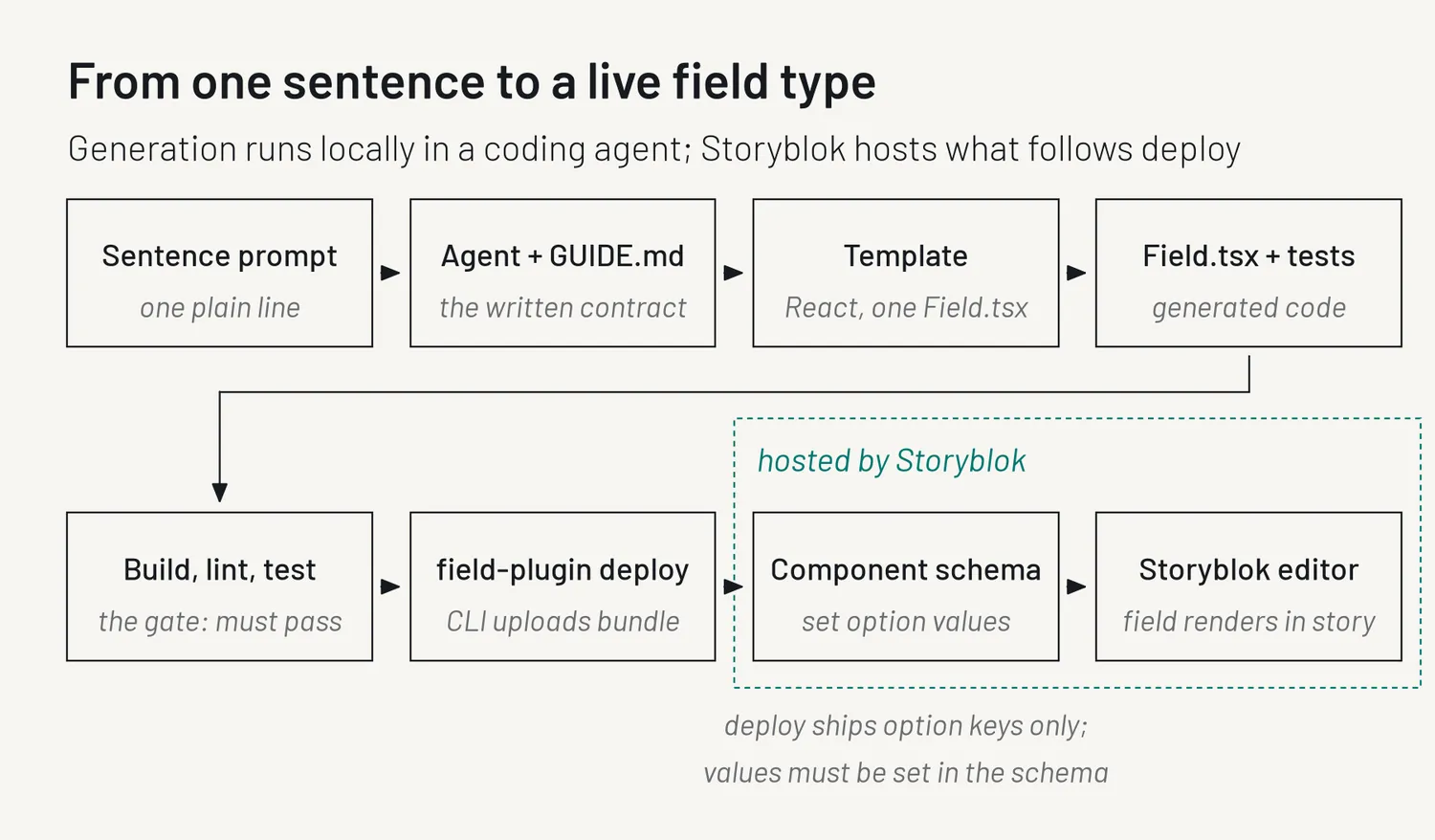
Field types were the obvious place to start, for one practical reason: Storyblok hosts them. The field plugin CLI (command-line tool) uploads the built bundle and that's it. No Vercel project, no OAuth app, no servers. That kept the experiment small enough for one night.
I also decided to test the hard part first. The interface isn't what makes this work; reliable generation and deploy are. A coding agent such as Claude Code is the cheapest way to prove that, and a wizard can later wrap the same pipeline.
Why a hosted wizard at all? Because most Storyblok users don't run a local AI coding agent, and a hosted flow would get them to the "aha" moment in minutes.
The setup: a template and a written contract
A template. I took the official React scaffold from the field plugin CLI and stripped it down to a single Field.tsx file, plus a small set of CSS classes that match the look of the Storyblok editor. Every new field starts as a copy of this.
A guide. GUIDE.md is a written contract, the instructions an agent gets before it writes a line of code. It covers the field plugin API, how to design the stored value, how the UI should look and behave, and a clear definition of done: build passes, tests pass, a short readme exists. The same file serves as instructions for the Claude Code skill today, and as the system prompt (the standing instructions a model receives) for the wizard later. I call this first version v0.1; "v1" can wait until it has seen a lot more fields.
Writing a prompt contract goes through it rule by rule.
One reference field: are the docs enough?
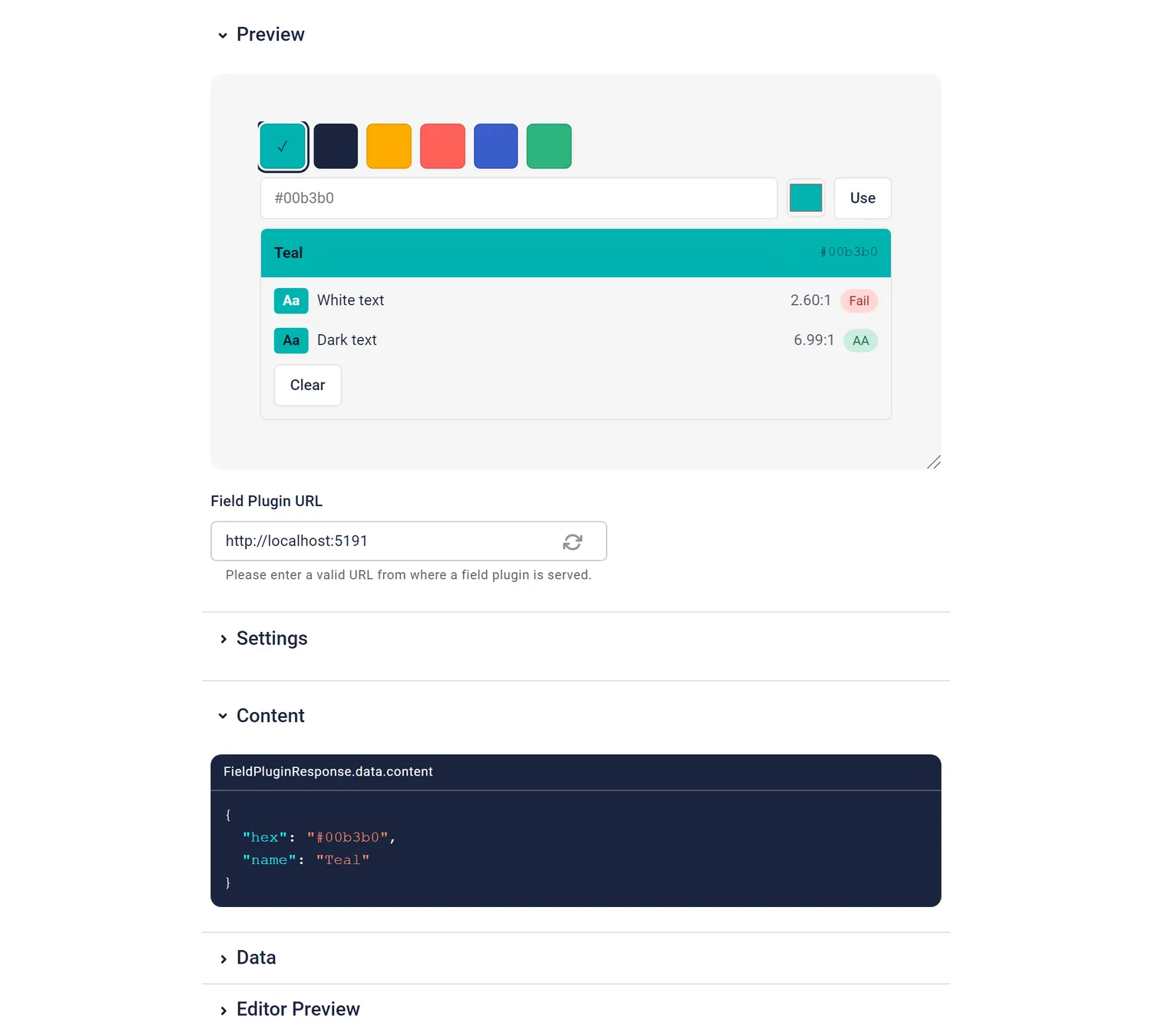
Before handing anything to fresh agents, I wanted to answer a simpler question: are Storyblok's own documentation on storyblok.com, the field plugin CLI package, the starter template and a prompt already enough to build a good field? So in my main Claude session I prompted a brand color picker with exactly that, and one sentence:
A color picker limited to our brand palette, with an optional custom hex input and a live WCAG contrast check against white and dark text.
WCAG is the accessibility standard for readable text.It built and passed its tests on the first try: roughly 270 lines of field code on top of the template, with 6 tests. It became the reference for what "good" looks like: how options are parsed, what the stored value looks like, how old values are read.
Three agents, one sentence each
I started three fresh agents in parallel. Each got exactly two things: a one-sentence description of a field and GUIDE.md. No conversation history, no examples from the color picker, no follow-up help.
All three fields used DummyJSON, a free API with fake products, users and recipes, so I had real network calls without touching anyone's real data. These were the three sentences (cleaned up a little for readability, same substance):
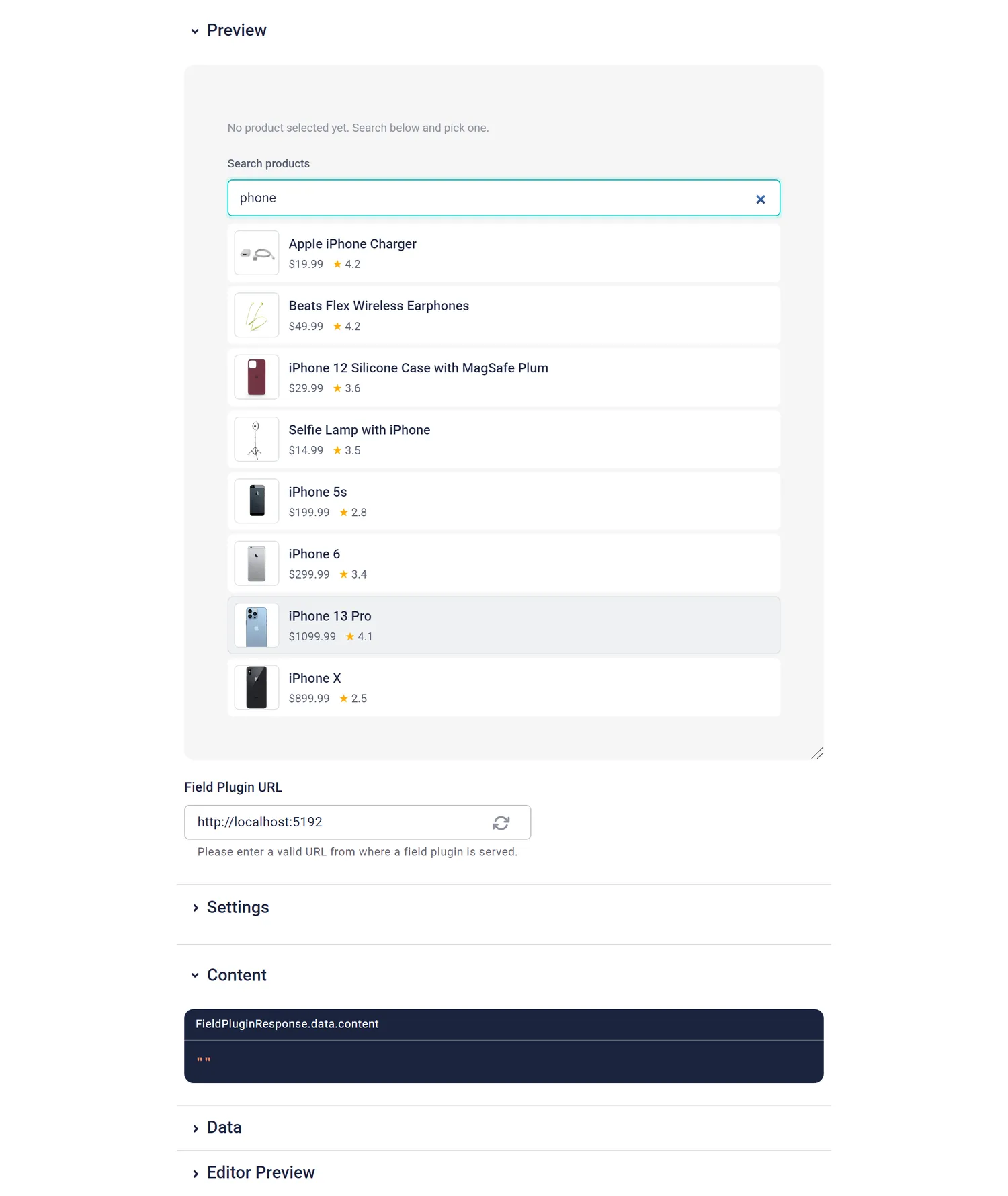
- Product picker: "A product picker for e-commerce teaser blocks that lets editors search DummyJSON products by thumbnail, title, price and rating, stores the product id plus a small snapshot (title, price, thumbnail) so the frontend can render without another request, and can optionally be restricted to one category."
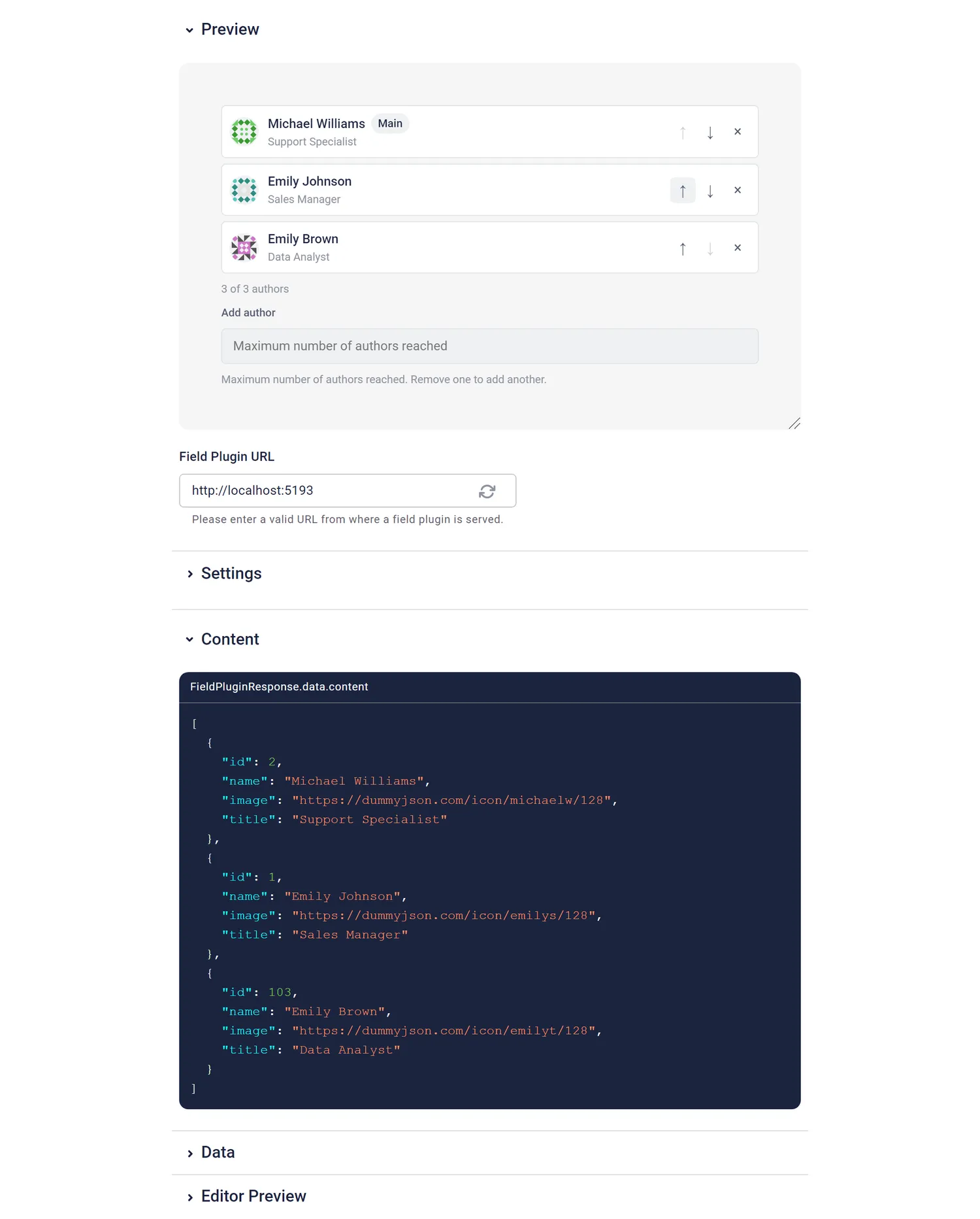
- Author picker: "A multi-select author field for blog articles that pulls authors from DummyJSON users, shows avatar, full name and job title, lets editors pick and reorder several authors (the first one is the main author), and has an optional maximum number of authors."
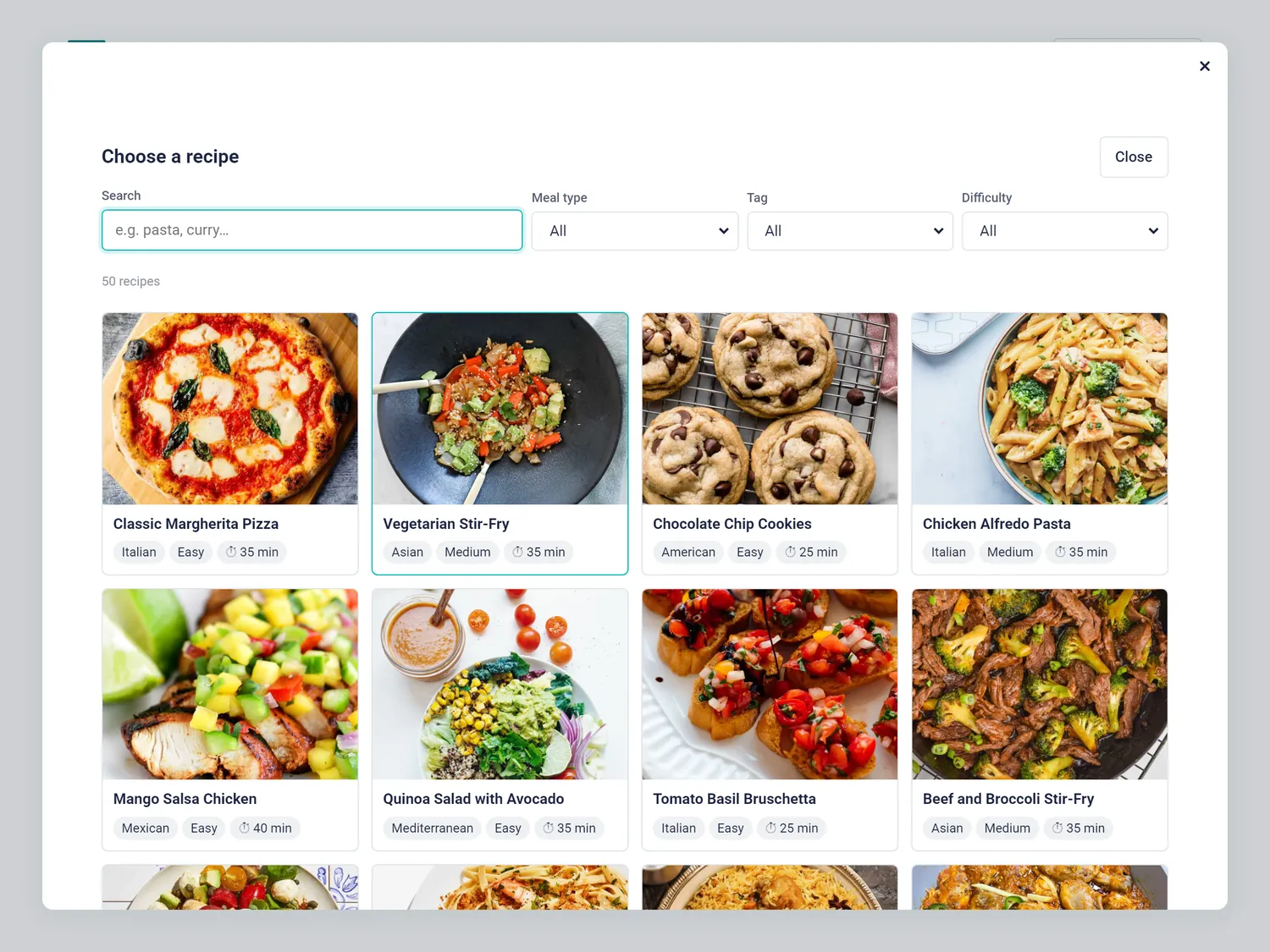
- Recipe picker: "A 'recipe of the week' field for a food magazine where editors browse DummyJSON recipes in a fullscreen view with search, meal type and tag filters, seeing image, name, cuisine, difficulty and total time, and after picking get a compact inline card with a 'Change' button, while the field stores the recipe id, name and image."
The results: all green on the first try
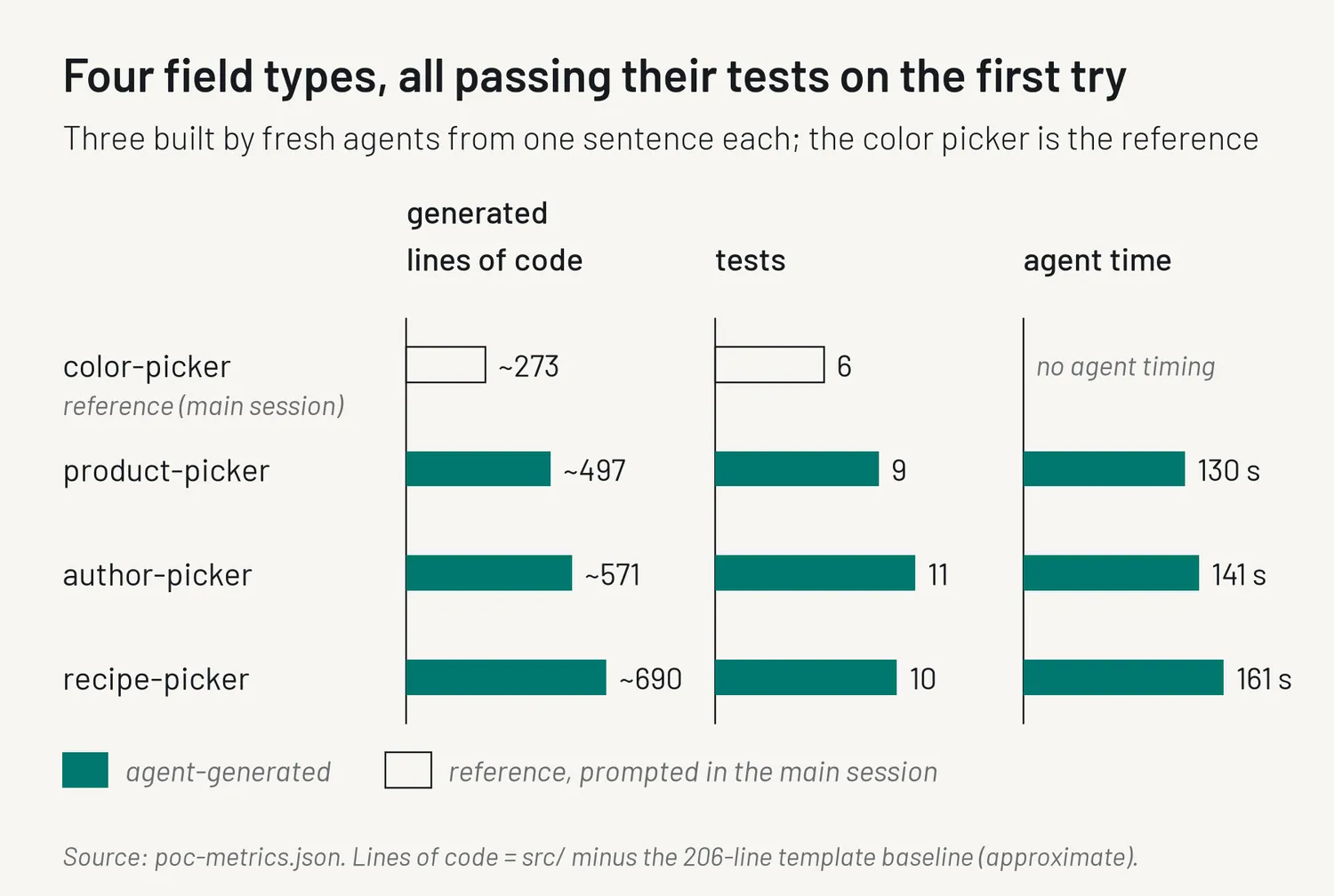
Each agent took roughly two to three minutes and 15–16 tool callsIndividual actions like writing a file or running a command.. All three fields built and passed their tests on the first try."Lines of field code" means the lines in the source folder minus the template's starting point, so treat those as rough figures.
| Field | Built by | Tests | Lines of field code (approx.) | Agent time |
|---|---|---|---|---|
| brand-color-picker | Reference: main session, docs + prompt | 6 | ~270 | n/a |
| dummyjson-product-picker | Fresh agent, one sentence | 9 | ~500 | ~2.2 min |
| dummyjson-author-picker | Fresh agent, one sentence | 11 | ~570 | ~2.3 min |
| dummyjson-recipe-picker | Fresh agent, one sentence | 10 | ~690 | ~2.7 min |
Afterwards I deployed all four and opened them in the Storyblok editor. All four worked there as well, not only in the local sandbox. ("Tests pass" means the agents' own tests, mostly for logic like parsing values and options. More on limits below.)
Small bundles, mostly shared code
Field plugins load in an iframe every time an editor opens a story, so bundle size matters. Each of the four bundles is about 160 kB raw and about 52 kB gzipped (compressed, as it's sent over the network).
The sizes are close: the smallest gzipped bundle (the color picker) and the largest (the recipe picker) differ by only about 1.3 kB, although the recipe picker has more than twice as much field code. Most of each bundle is React plus the field plugin library, which every field shares.
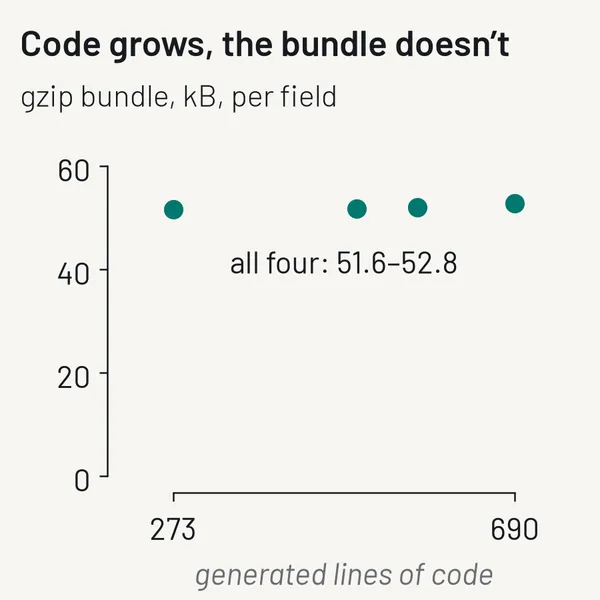 Fig. 4: Bundle size per field. The sizes barely move between fields, because most of each bundle is shared React and library code.
What the agents taught me about my own guide
This was the part that surprised me most.
Along with its field, each agent reported where the guide had been unclear or incomplete. Between them they flagged seven gaps, from a missing list of the editor's CSS variables to nothing on network behaviour (debouncing, cancelling requests, rate limits) and no rule for closing a modal with Escape.
Two of those came up from two agents independently: network behaviour and the snapshot policy. That turned parallel generation into a test of the instructions themselves. When independent agents trip over the same gap, it's probably a real gap, and even the ones only one agent noticed were worth fixing. I folded every point back into the guide, which became v0.2. One flagged issue was simply my fault: the test command in my own brief didn't match the template, and all three agents noticed.
Real APIs added lessons of their own: DummyJSON can't combine its search and filter endpoints, and its data contains both "Snack" and "Snacks". The prompt contract article covers those, plus good-to-knows like option values, which are set per field in the component schema rather than deployed with the plugin.
Honest limits
To be clear about what this is:
- It was one night, with a demo space and dummy data.
- Three generated fields is a small sample, and they were all pickers or similar inputs.
- I wrote the guide myself that same night, with exactly this kind of field in mind. That helped the agents.
- "All green" covers build and the agents' own tests, plus my check in the editor. It's not a code review or a production rollout. Later, browser tests in Storyblok's field plugin sandbox found a few UI bugs the unit tests had missed, and those are fixed now.
- It's an experiment. There's no product, no wizard and no release date attached to it.
Try it yourself
The guide, the template, the four fields and the packaging are in a repo: github.com/DominikAngerer/storyblok-field-wizard. There are three ways in:
- Any coding agent: copy the prompt from
generator/PROMPT.mdinto Claude Code, Cursor, Codex or similar, and replace the field description at the bottom with yours. No repo needed. Claude Code plugin: load the plugin zip for a session, from the release URL or a local copy, or move the unzipped folder to
~/.claude/skills/to have it in every session:- Cursor and other agents: open the repo and ask for a field.
AGENTS.mdand a Cursor rule point them at the same guide.
What's next
The next step I'm thinking about is the wizard itself: describe a field, see a live preview, deploy it to your space, and extend it with follow-up prompts. That is an idea for now, not a plan with a date.
Before that, two related reads:
- Writing a prompt contract. The rules in
GUIDE.md, each paired with the bug it prevents, real code from the generated fields, and how the agents' feedback turned v0.1 into v0.2. - Build your own field type. Each field has its own article with a ready-to-paste prompt, starting with the brand color picker.
If you build a field type this way, I'd love to see it.