A real code editor for Storyblok, built for my own blog
Code, language, file name and highlighted lines in one field, instead of a textarea and a dropdown
TL;DR A Storyblok field with a CodeMirror editor, language picker, file name, highlighted lines and fullscreen. Copy the prompt and build it yourself.
Code in a textarea is painful. No highlighting, Tab jumps out of the field, and the language lives in a second field that editors forget to set. This field puts a real code editor into Storyblok, with the language, a file name and highlighted lines in the same value.
What it's for
This is the first of these fields that I built for myself. My blog, d12r.io, has a code_block component, and until now that was a plain textarea plus a separate language field. Every post with code meant typing in a box that eats your indentation. I asked the same session that had written the generation guide that night to build it, and it handed the job to a sub-agent working from that guide. My only instruction on the design: let's not restrict ourselves, breaking the old shape is fine. The new value bundles everything a blog code block renders: { code, language, filename, highlight }. The field still reads the old plain strings, so existing posts keep working, and the migration happens on the next edit.
Inside, it's CodeMirror 6: highlighting for twelve languages, line numbers, bracket matching, undo and a wrap toggle. The editor grows with the code up to maxLines and then scrolls. For anything longer, there's a fullscreen view in Storyblok's modal.
What you get
"1,3" with both lines marked.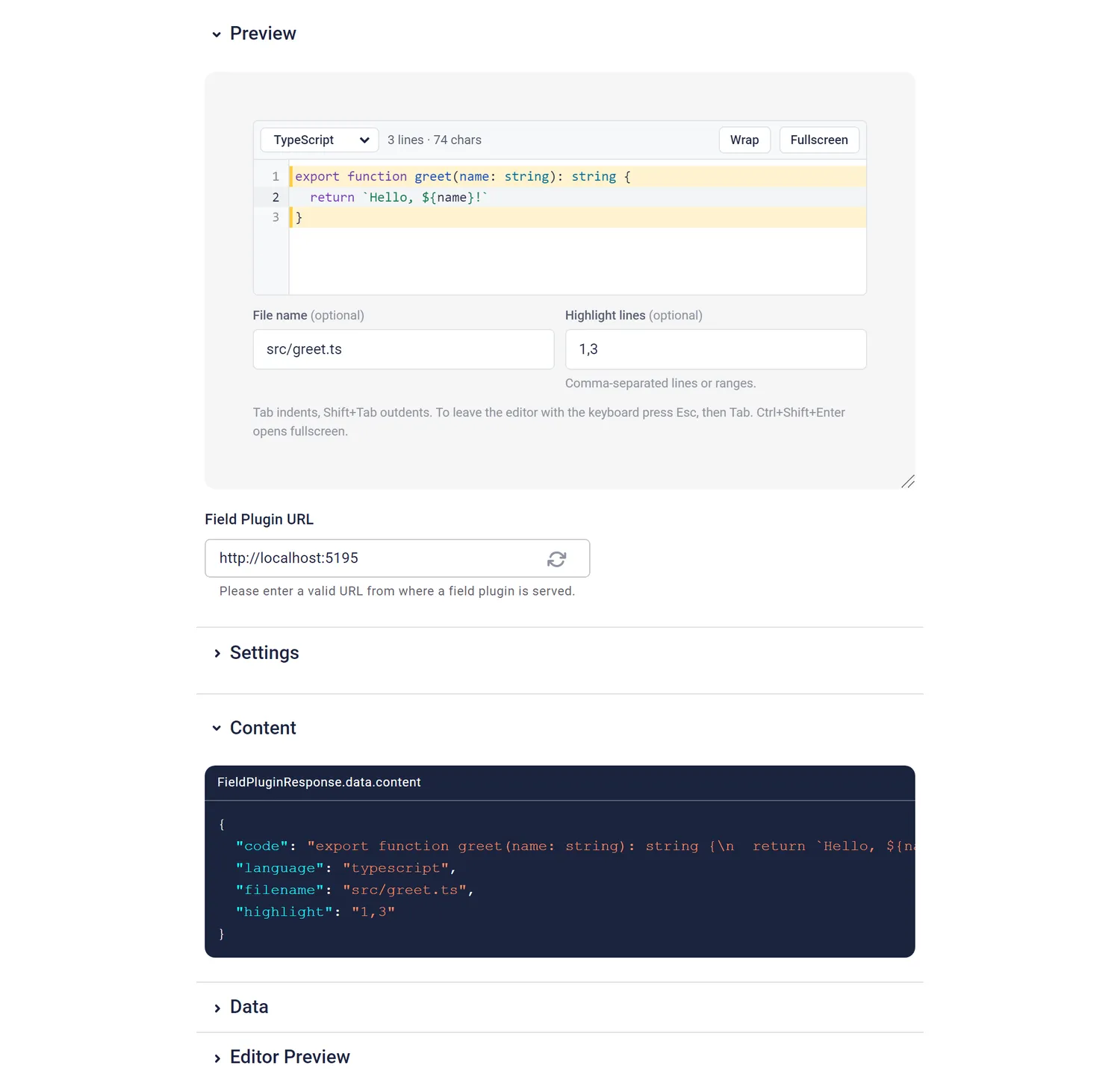
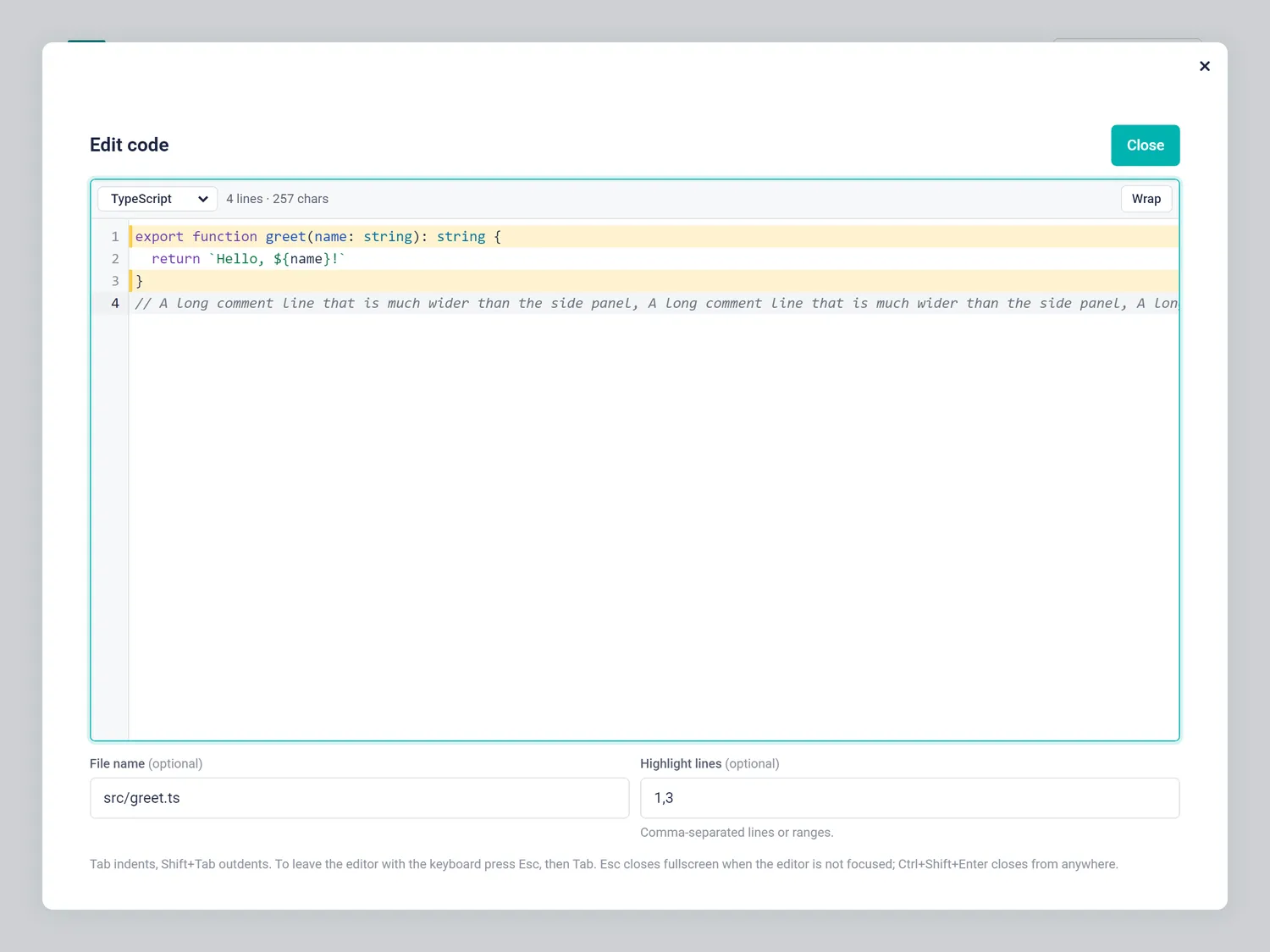
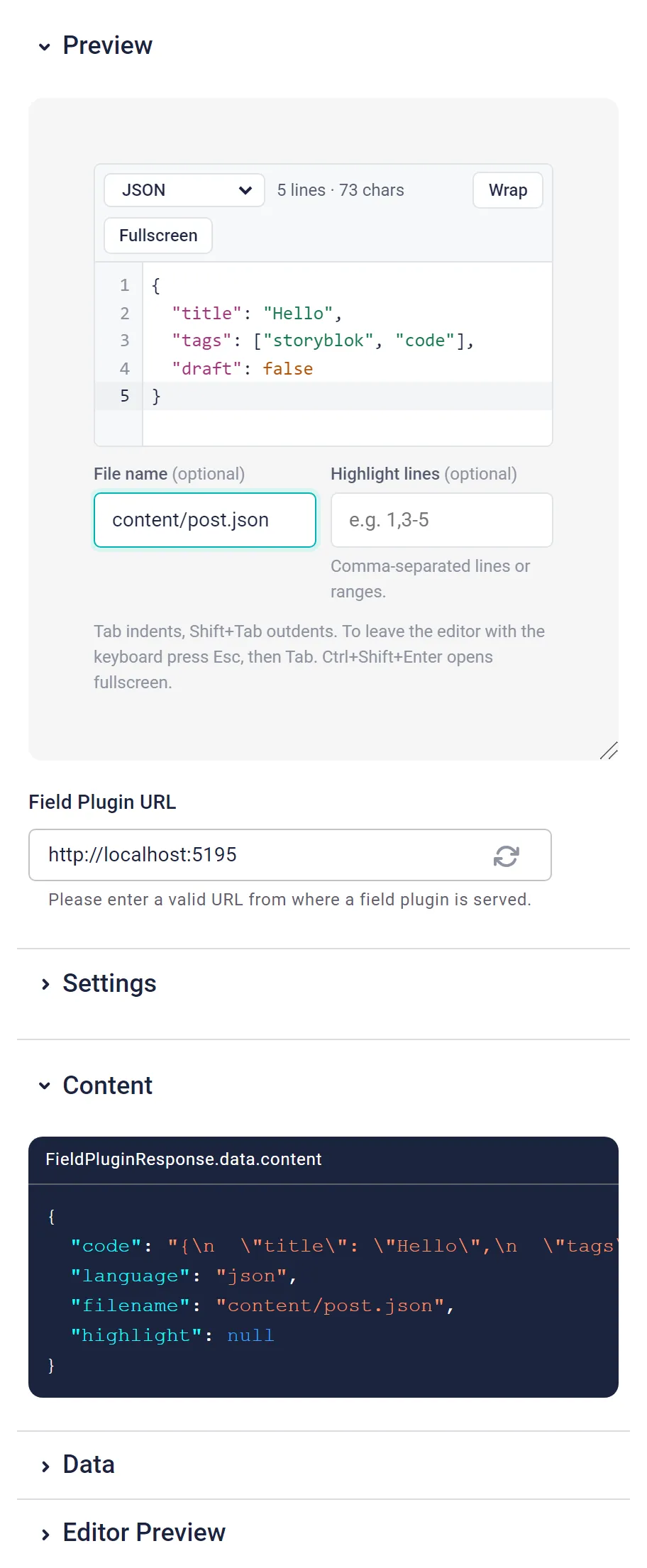
The stored value:
{
  "code": "export function greet(name: string): string {\n  return `Hello, ${name}!`\n}",
  "language": "typescript",
  "filename": "src/greet.ts",
  "highlight": "1,3"
}| Option | Default | What it does |
|---|---|---|
defaultLanguage | plaintext | Language for new blocks and old plain strings. Aliases like ts work. |
allowedLanguages | all | Comma-separated languages offered, in this order. |
tabSize | 2 | Spaces per indent level (1–8). |
maxLines | 20 | Inline height in lines before it scrolls (6–200). |
placeholder | Paste or type code… | Placeholder of the empty editor. |
Using it in the frontend
import { codeToHtml } from 'shiki'

const block = readCodeBlock(blok.code) // accepts the object or an old plain string
const lines = highlightedLines(block.highlight) // "1,3-5" → Set {1, 3, 4, 5}
const html = await codeToHtml(block.code, {
  lang: block.language,
  theme: 'github-light',
  transformers: [{ line(node, line) { if (lines.has(line)) this.addClassToHast(node, 'highlighted') } }],
})
The language ids are valid Shiki, Prism and highlight.js names. Both helpers are in the plugin's PLUGIN.md.
What I learned building it
- A real editor has a real price. The bundle is 534 kB raw, 174 kB gzipped, about 3.4× the other fields, mostly CodeMirror. Good to know: field plugins deploy as one CommonJS file, so everything loads up front, with no lazy loading. For a field I use in every technical post, that's a trade-off I accept.
- Escape is a shared key. The browser test caught it: pressing Escape inside the fullscreen editor closed the modal. The
@storyblok/field-pluginlibrary closes the modal, without saving, on any Escape that reachesdocument. The editor now stops Escape inside CodeMirror and saves pending edits before the modal closes. - Debounce, then flush. Edits are saved 300 ms after typing stops, but also right away on blur, on a language change and when switching to or from fullscreen. The browser test types a line and hits Close within the debounce window, and the line is still stored.
- Keyboard users need a way out. Tab indents, so it can't also move focus. CodeMirror's answer is Esc, then Tab, to leave the editor. Ctrl/⌘+Shift+Enter opens and closes fullscreen from anywhere.
- Good to know: field type names are global. Deploying
code-editorreturnedDUPLICATED_NAME: another Storyblok user already had that name. It went live asd12r-code-editor, and the deploy script now takes--name. Tip: prefix your field names.
It has 23 unit tests and a browser walkthrough that passed 16 of 16 steps. The full story is in the article about the original experiment. The other fields: brand color picker, product picker, author picker, recipe picker.